
There is much angst about programming Philips/Simoco PRM80 radios with modern computers lacking a real serial port. For many years I’ve kept an old laptop available for just that purpose. Today however, after getting grumpy with how slow the laptop was, discovered that it doesn’t need to be that hard.
Hardware
You only need two components:
- FTDI serial to USB interface. As long as the board has breakouts for DTR, DSR, RTS and CTS, it will be suitable. These can be had for a couple of dollars from AliExpress or Ebay.
- A length of cable with a RJ45 on one end. I keep damaged network cables for just this requirement.
Hardware Preparation
The first step is to bridge the DTR <=> DSR and RTS <=> CTS lines. Oddly, the DSR was printed backwards on my board, labelled as RSD.
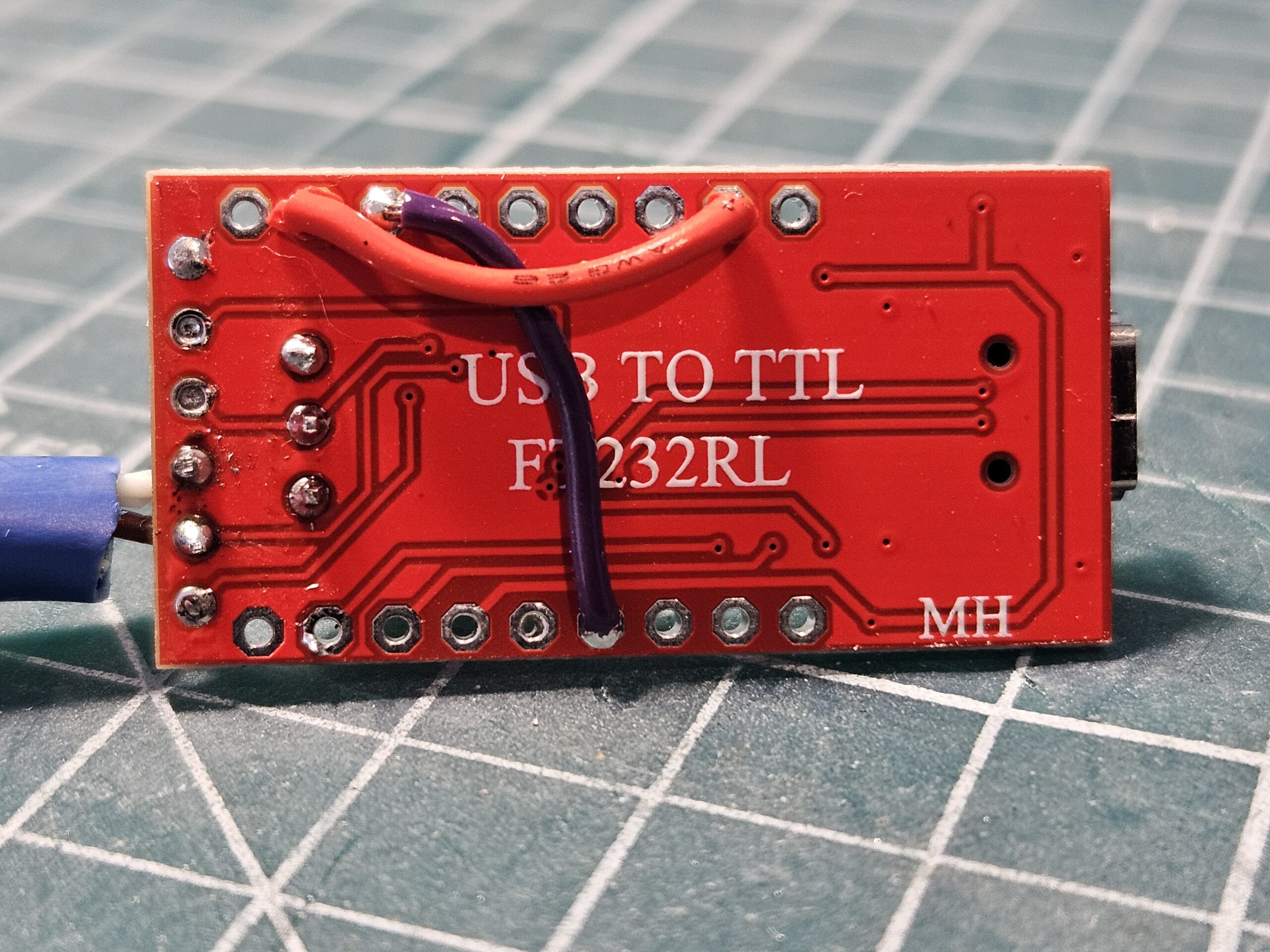
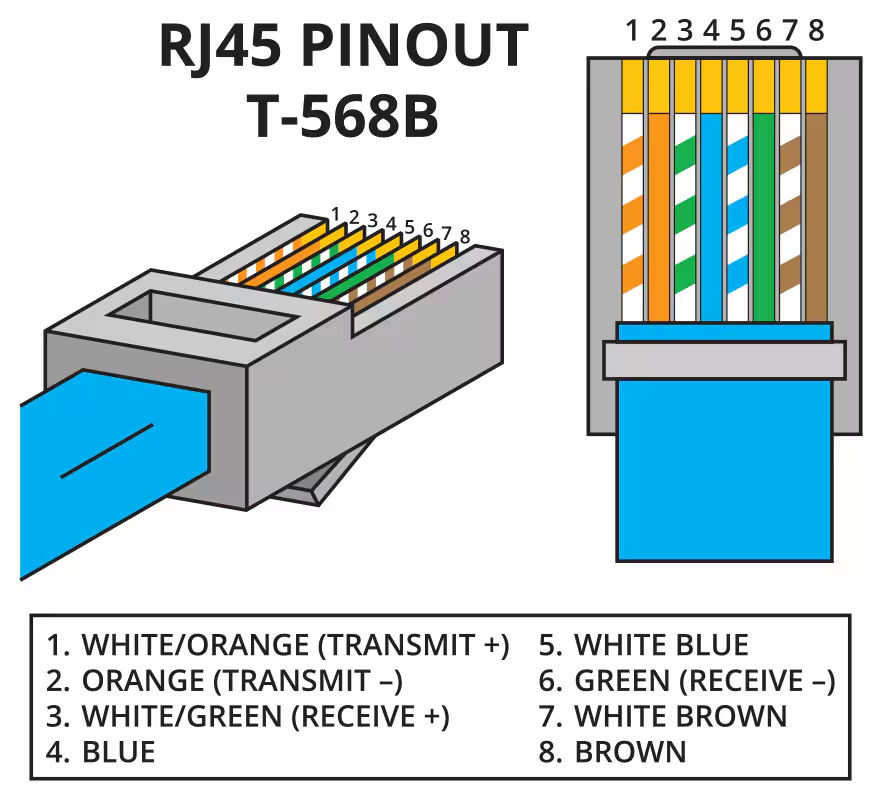
The second step was to connect lines 7 and 8 from the network cable to the TX and RX breakouts respectively. To be clear, 7 <=> TX, 8 <=> RX.
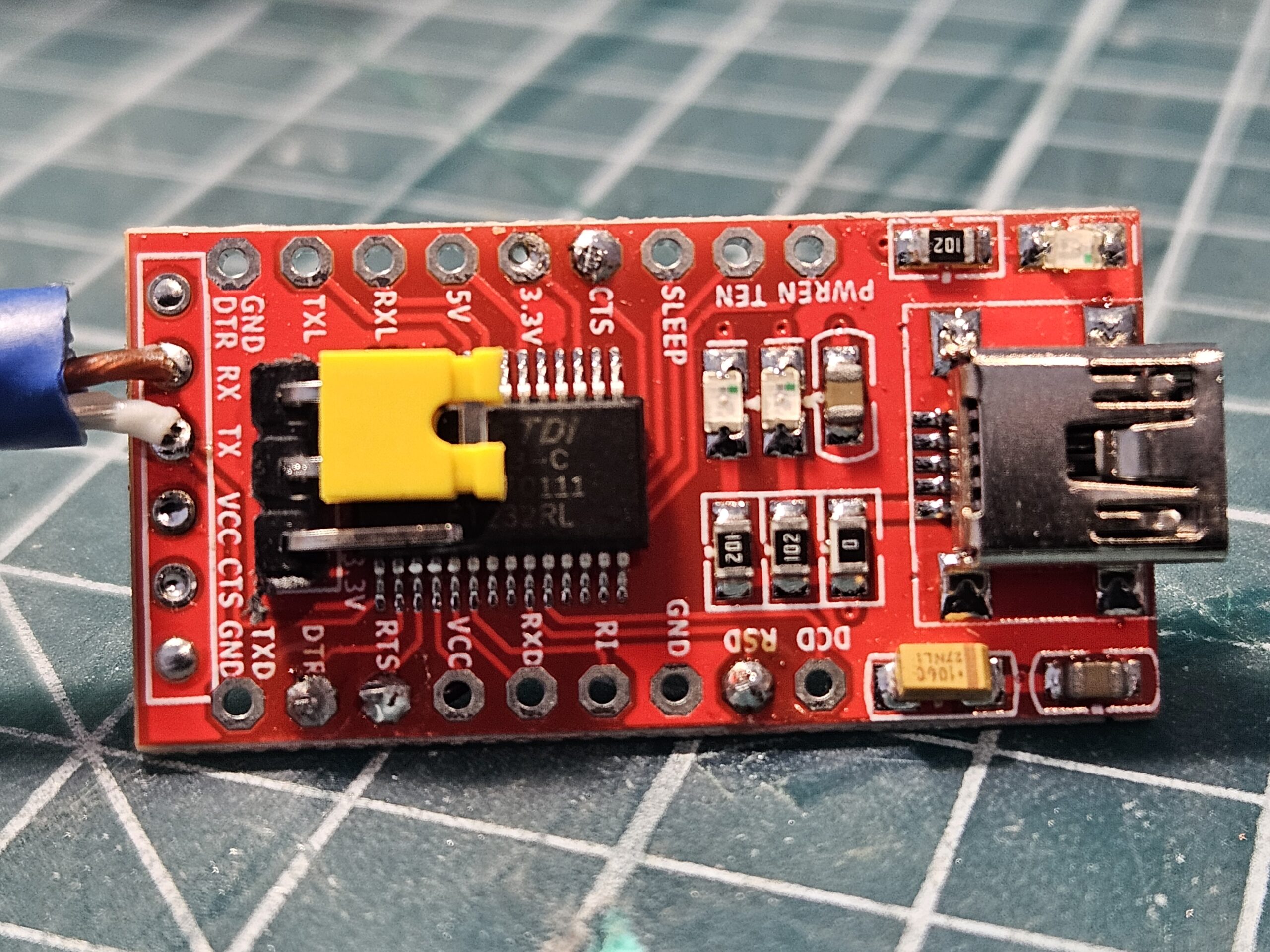
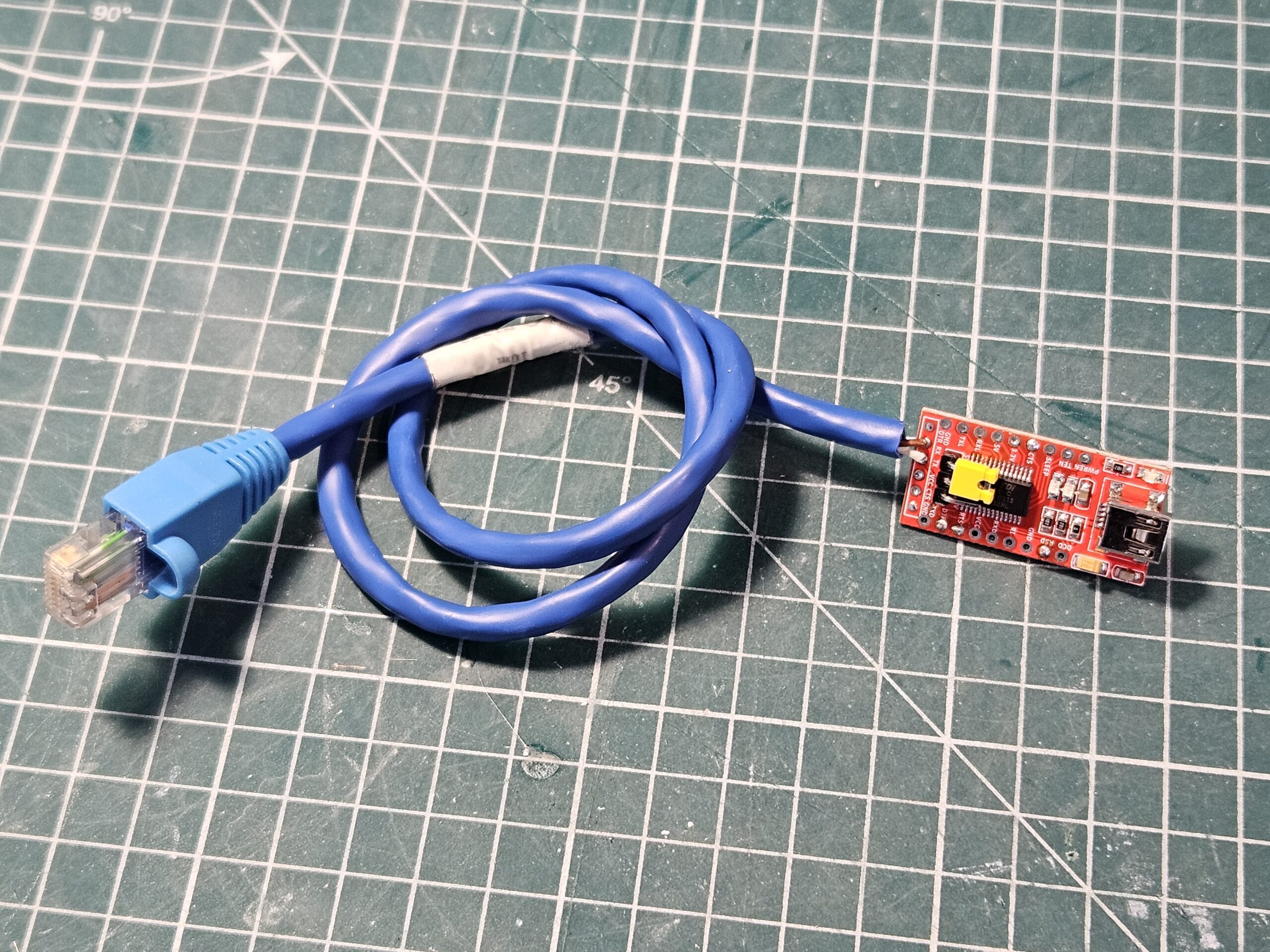
And that’s it for the programming cable.
Software
- Install the latest version of DOSBox. At the time of writing that was 0.74-3.
- Download the programming software for your radio variant from the AusLMRadio Groups.IO group. You will need to join in order to access the file repository. AusLMRadio@groups.io | Files. Once downloaded, extract them into a folder on your computer. For the rest of the setup, I’m going to assume you’ve placed them in c:/prm80.
Putting it together
- Plug your programming cable into your computer and make note of its COM port; COM7 in my case.
- Start DOSBox, and issue the following commands:
<code>mount d c:\prm80
serial1=directserial realport:com7
d:</code>
At this point, you should now be able to change directory to your programming software and run it.
For the record, my environment is:
- Computer: Lenovo T440s Core i7
- OS: Windows 10 64 bit. All updates applied at the time of writing.
- Radio: PRM8030R
Good luck!
Lance
December 2024
Hi Lance,
Did you find you had to alter the CPU speed in DosBox?
Geoff
Hi Geoff,
From memory I just used DosBox’s default settings. I’m pretty sure when I wrote the post I did a test from scratch to ensure it worked as documented.
Kind regards, Lance ..
Hi. I understand, according to your description, you can probably use the Baofeng programmer. TX, RX. Without GND? But no usb. Only classic rs232.
Sorry, I’m not aware of the Baofeng programmer’s specifications. You do need some way to assert flow control signals (DTR, RTS), hence bridging them.
Be aware though that PRM radios uses TTL UART, not RS-232. This does highlight the silliness of requiring a hardware serial port, as it would need a RS-232 – TTL level converter anyway.
Kind regards,
Lance ..
Thanks for the reply. I’m currently looking for a programmer for Philips. I have several from other radio models, and I didn’t want to buy another one, so none of what I have will be useful. Among other things, I have programmers for old Nokia phones.