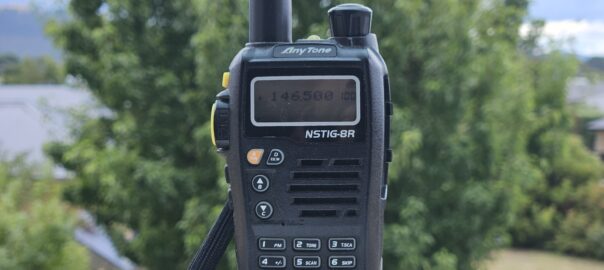
If you’ve been looking for the official programming software for this radio, this is for you.
Nice radio, but very poor customer service. They’d not been released for long before the programming software vanished from Anytone’s website, and no effort was made to add support into CHIRP.
For the past several years I’ve been tediously editing the memories from the radio keypad, then when recently cleaning up an old laptop I was delighted to find the programming software installed. I was thus able to copy the install folder and with some trial and error identify the installed ActiveX components needed to run it from another PC. Below you’ll find the files, along with installation details, as some ActiveX components will need registering on your system.
Installation instructions:
1 Download the zip file below
2. Extract and register ActiveX components
Extract the zip to wherever suits. Given that it won’t be installed in the traditional sense, you can place it pretty much anywhere.
To run, the application needs several ActiveX components copied to the shared SysWOW64 folder, and registered. To do so, run the following commands with administrator privileges.
<code>copy INSTALL_LOCATION/SysWOW64/*.* C:/Windows/SysWOW64
regsvr32.exe C:/Windows/SysWOW64/comdlg32.ocx
regsvr32.exe C:/Windows/SysWOW64/mscomctl.ocx
regsvr32.exe C:/Windows/SysWOW64/mscomm32.ocx
regsvr32.exe C:/Windows/SysWOW64/MSFLXGRD.OCX</code>
3. Run it
And that’s it. Run NSTIG_8R.exe to start the application.
Lance
March 2026